
Preparation
Submit contributions
Configure forms, topics and contribution types. Authors add contributors, upload files and edit their draft until the deadline.
Explore submissionsFrom abstract submission to recordings, we set up your conference's digital workflows and support their use. Choose the services you need; participants, speakers and your team receive the appropriate access.
Set up and supported by our event team.
Choose a phase or search for a task. Each service explains the workflow and features, with examples.
Configure forms, topics and contribution types. Authors add contributors, upload files and edit their draft until the deadline.
Explore submissionsAssign contributions and set criteria and deadlines. Reviews, comments and revisions help the program committee make its decision.
Explore reviewingConfigure packages, rules for individual services, questionnaires and accompanying guests. Invoices and the configured payment methods are part of the booking.
Explore bookingPresent the program, registration, submissions, exhibition and travel information in your conference design. German and English content works across devices.
Explore event websitesParallel sessions, favorites, My day, floor plans and reminders. Published profiles and questions about contributions help participants connect.
Explore the web appScan a personal QR code, check registration and print a name badge. Issue booked vouchers and prevent duplicate issues.
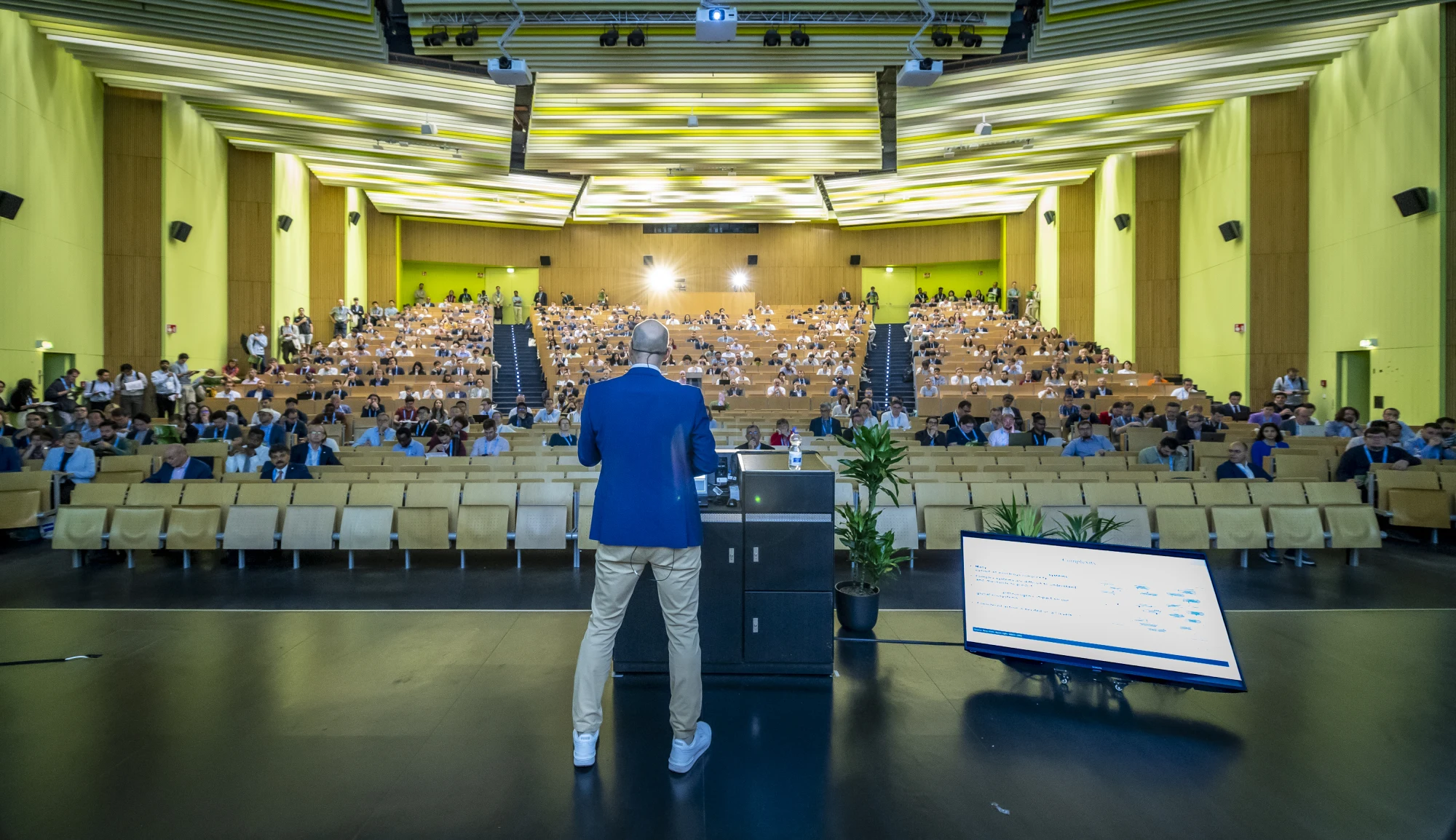
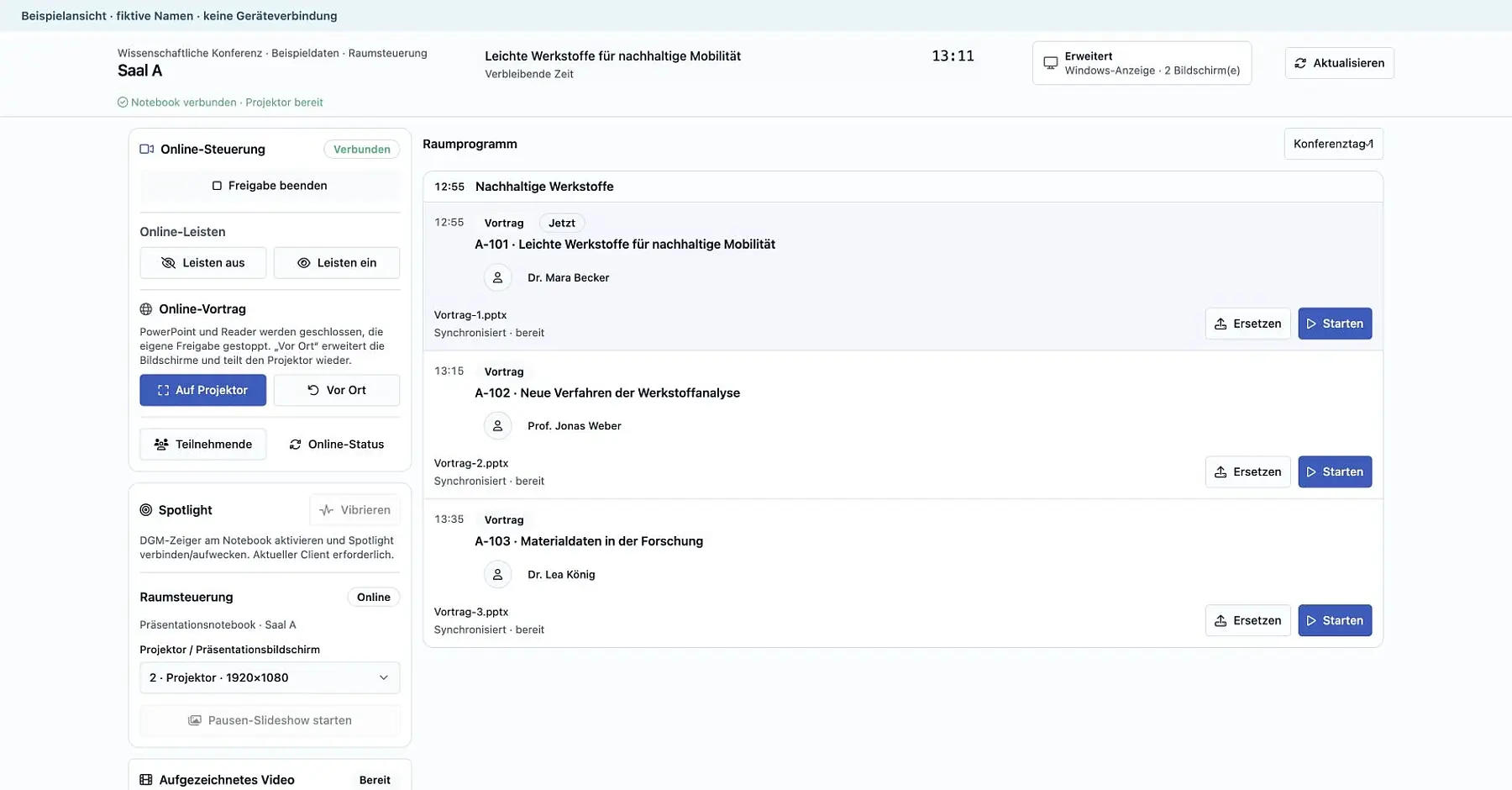
Explore check-inUpload presentations for an automatic slide check, delivery to the assigned room and remote start. Slide controls, a digital laser pointer and the chair program support each talk.
Explore room controlShow room schedules, speakers, announcements and countdowns in portrait and landscape formats. Break slideshows and matching stage displays use the same design.
View display examplesStream camera footage, presentations and sound from parallel rooms. Approved recordings are available afterward for the agreed period.
Explore streamingBrowse and enlarge posters and open their abstracts. Digital displays, printed posters and configurable voting support the poster session.
Explore the poster galleryChoose a package and stand on the floor plan, book additional services and manage invoices. Staff and guests receive personal invitations.
Explore the exhibitor portalOrganize applications, contracts and accommodations. The mobile team app supports each shift with tasks, checklists and status updates.
Explore team managementInvoice registration fees and exhibitor services. Track payments, outstanding balances, refunds and agreed data transfers.
Explore billingThe platform sends the feedback survey after the event. Delivery and responses can be tracked for each participant.
More about feedback surveysCreated for each participant from your template and available on the platform after the event.
More about certificates of attendancePlan invitations and reminders for registration and submissions. Email sequences, websites and materials follow your event design.
Explore communicationsTry another search term or show all services.
Published information belongs to the same event. Each role has the views it needs for its tasks.
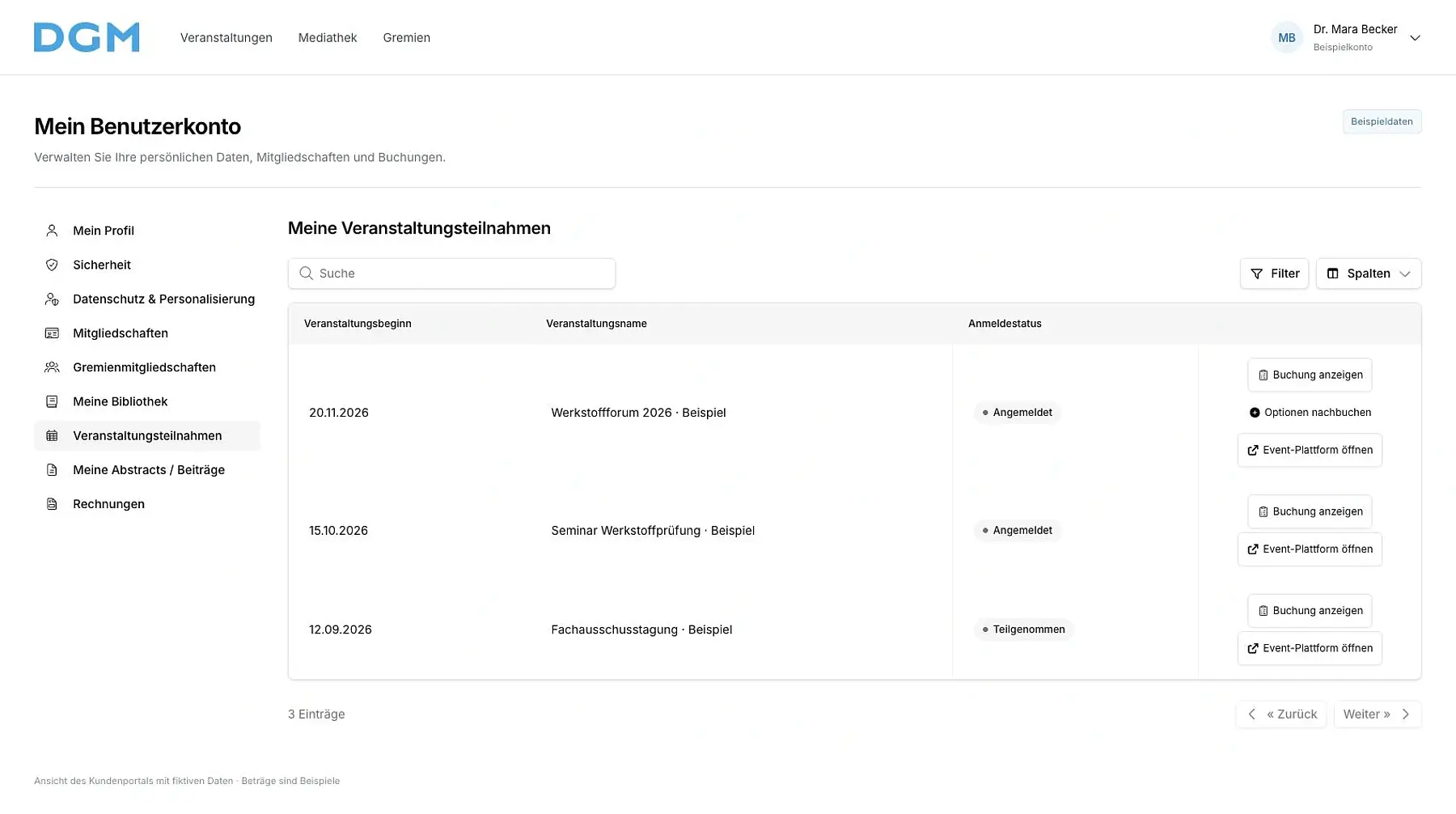
Participants find their booking, invoices and contributions in the customer portal. In the web app, they plan their day and open published content.
Booking and customer portalChoose a package and additional services
Access your booking, invoice and personal code
Use the program, favorites and relevant floor plans
Speakers upload the final presentation to their contribution. The automatic slide check tests how it appears on the presentation system, including formatting, animations and embedded media.
Presentation workflow and room controlUpload the file to your contribution and receive the slide check
The presentation is automatically delivered to the assigned room
Production control or the room team starts the presentation remotely so the speaker can begin
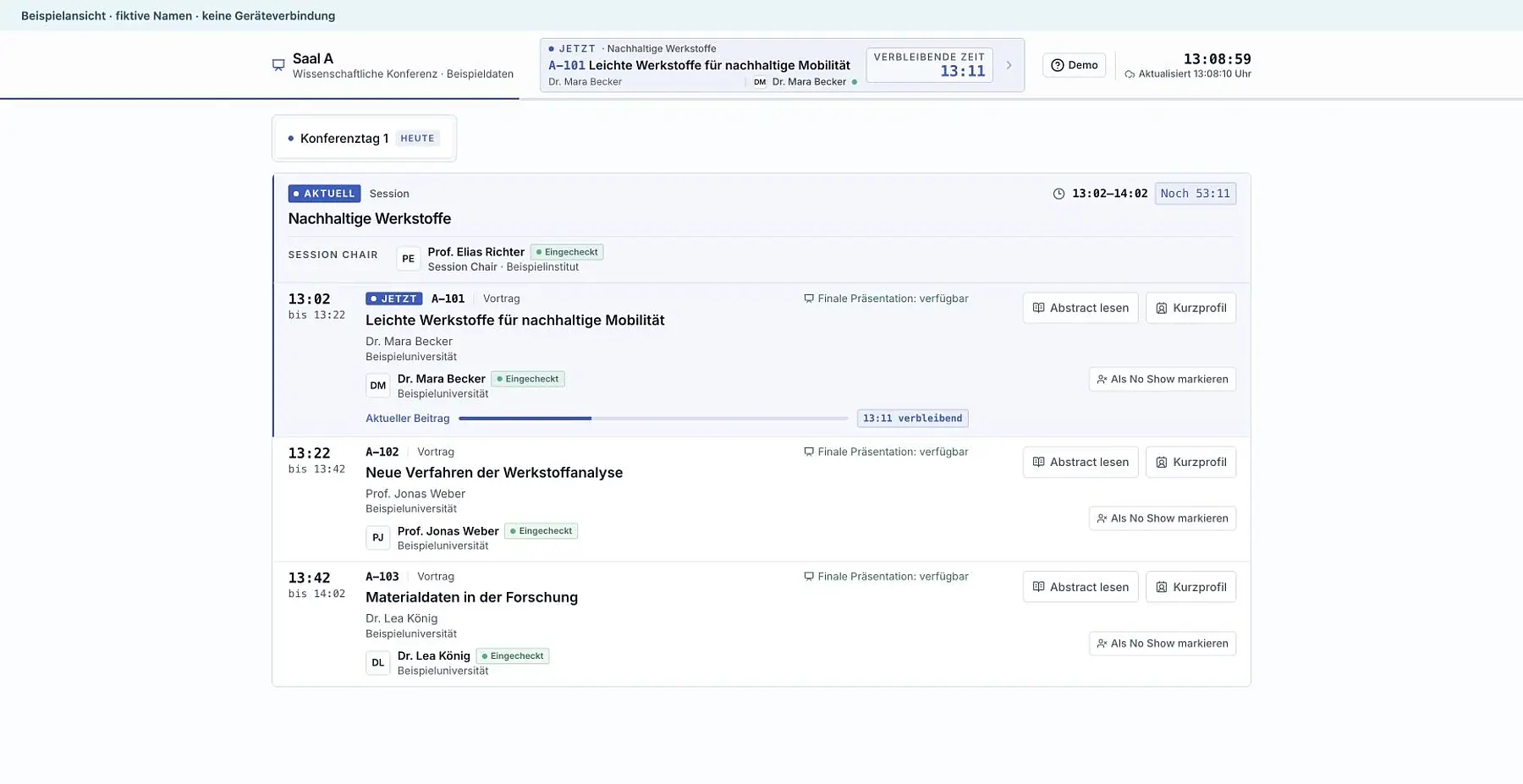
Organizers track submissions, bookings and responses. The room team has a simple room view, session chairs have their program, and technical production has central monitoring.
Room views and session chair programAssign contributions, rooms and times in the program
Start presentations remotely, control slides and show break slideshows
Check status and support room teams between sessions
Exhibitors choose a package and an available stand, add services and manage their billing details. Personal invitations link booked allocations to staff and guests.
Stand booking and exhibitor portalChoose a package and available space on the floor plan
Prepare additional services and your exhibitor profile
Staff and guests register through their own invitation
The customer portal brings together each participant's details. Room control and the chair program support work in the room. These screenshots show real interfaces with fictional sample data.
 Enlarge view
 Enlarge view
 Enlarge view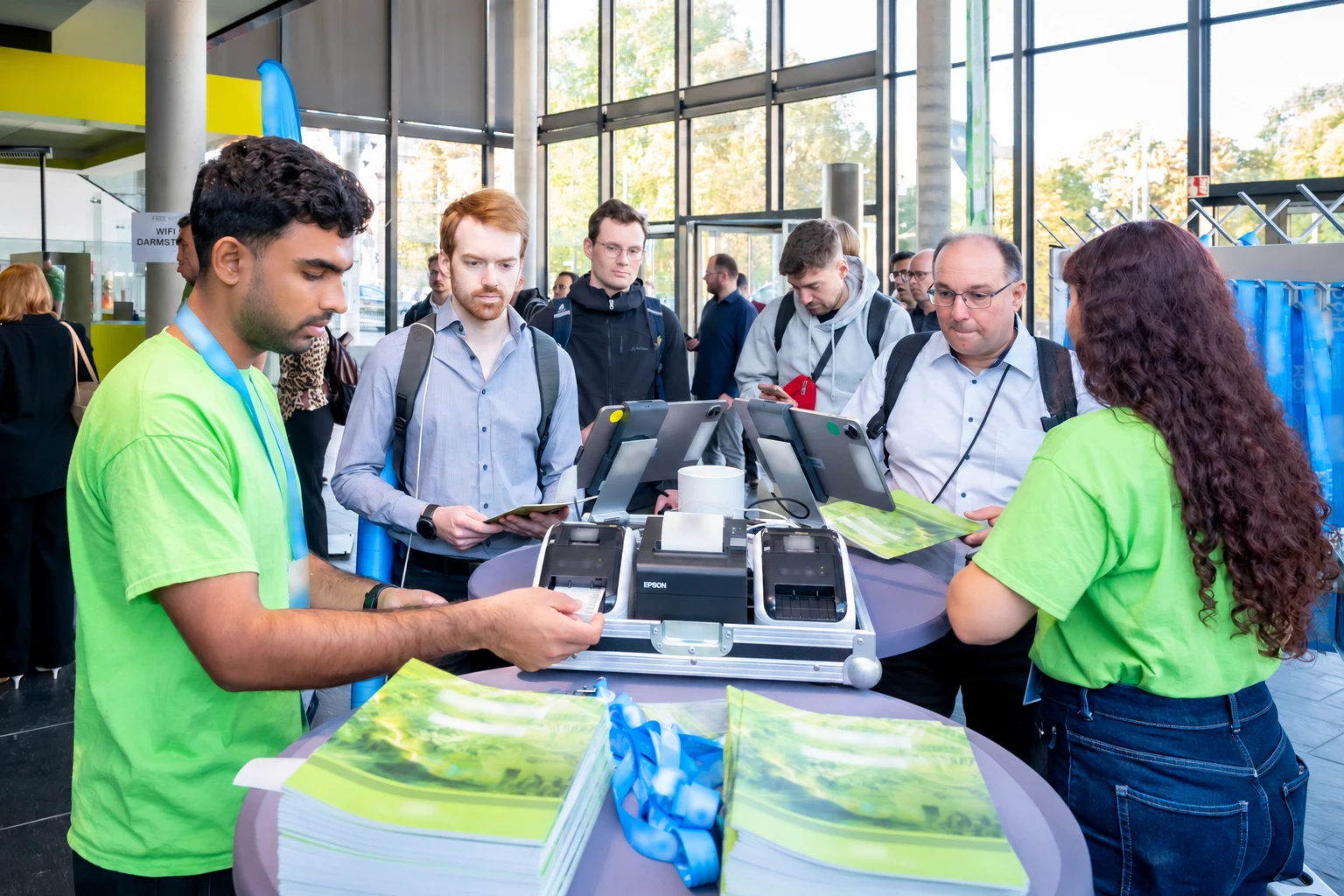
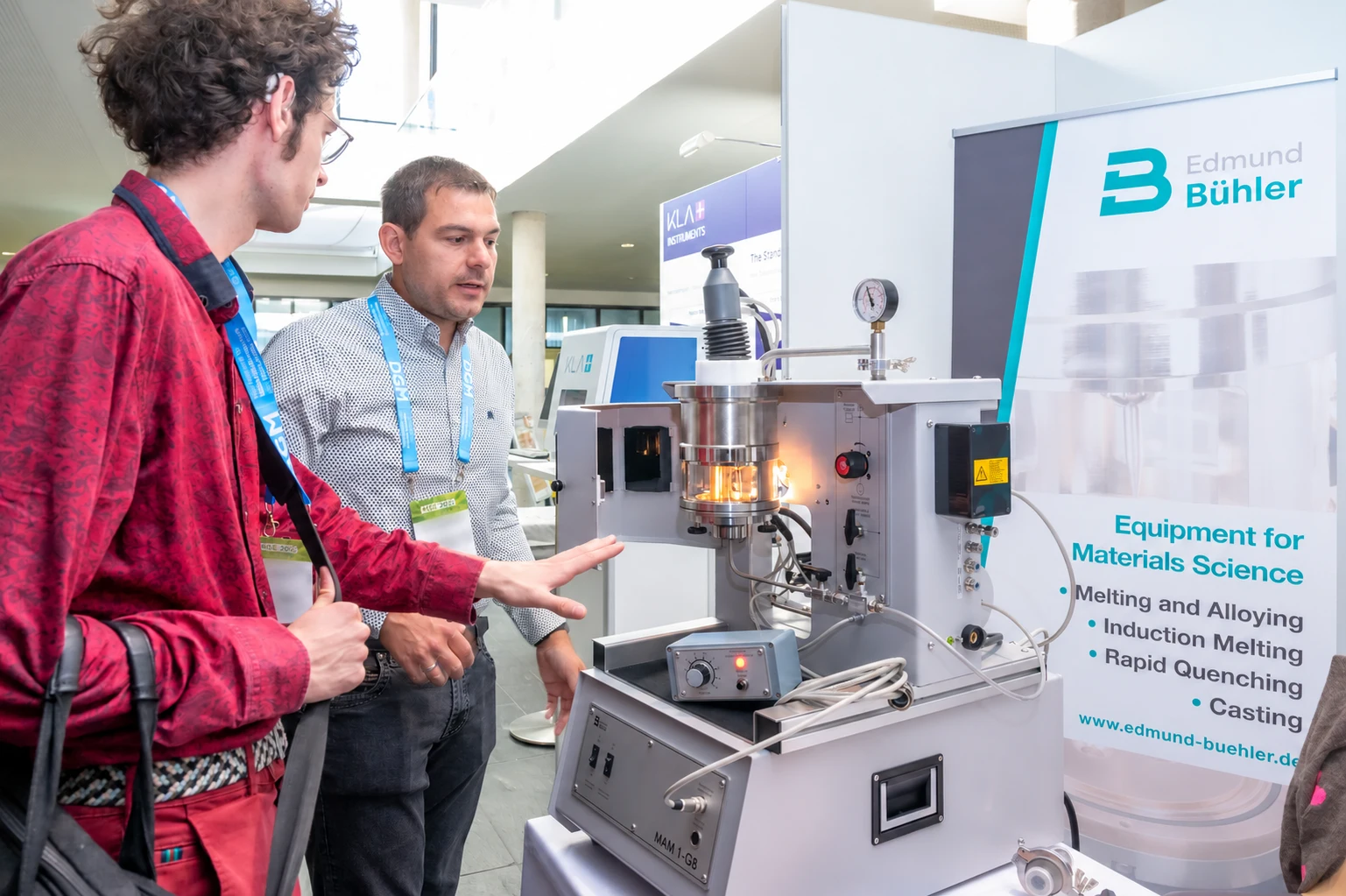
Our team supports the configured workflows at reception, in lecture rooms and in the exhibition. Participants find their program and documents, while speakers can begin with their prepared presentation.
Event delivery and room supportYou can commission individual tasks or the entire event. Together, we agree which tasks our team handles and which your organizers manage.
Agree the event format, audiences, deadlines and responsibilities. We review existing systems and required data transfers before the project begins.
Configure forms, packages, roles and approvals. Review the booking process, program and technical setup with your team before use.
Answer questions and support the agreed workflows at the venue or online. Afterward, provide approved media, reports and data in an organized form.
Tell us about your format, planned program and the tasks you need help with.