
Vacation requests and sick notes in the CRM
Vacation, flexitime, special leave and business trips are requested in the CRM and submitted for approval. Your team records sick notes in the same process. The attendance calendar shows who is in and when.
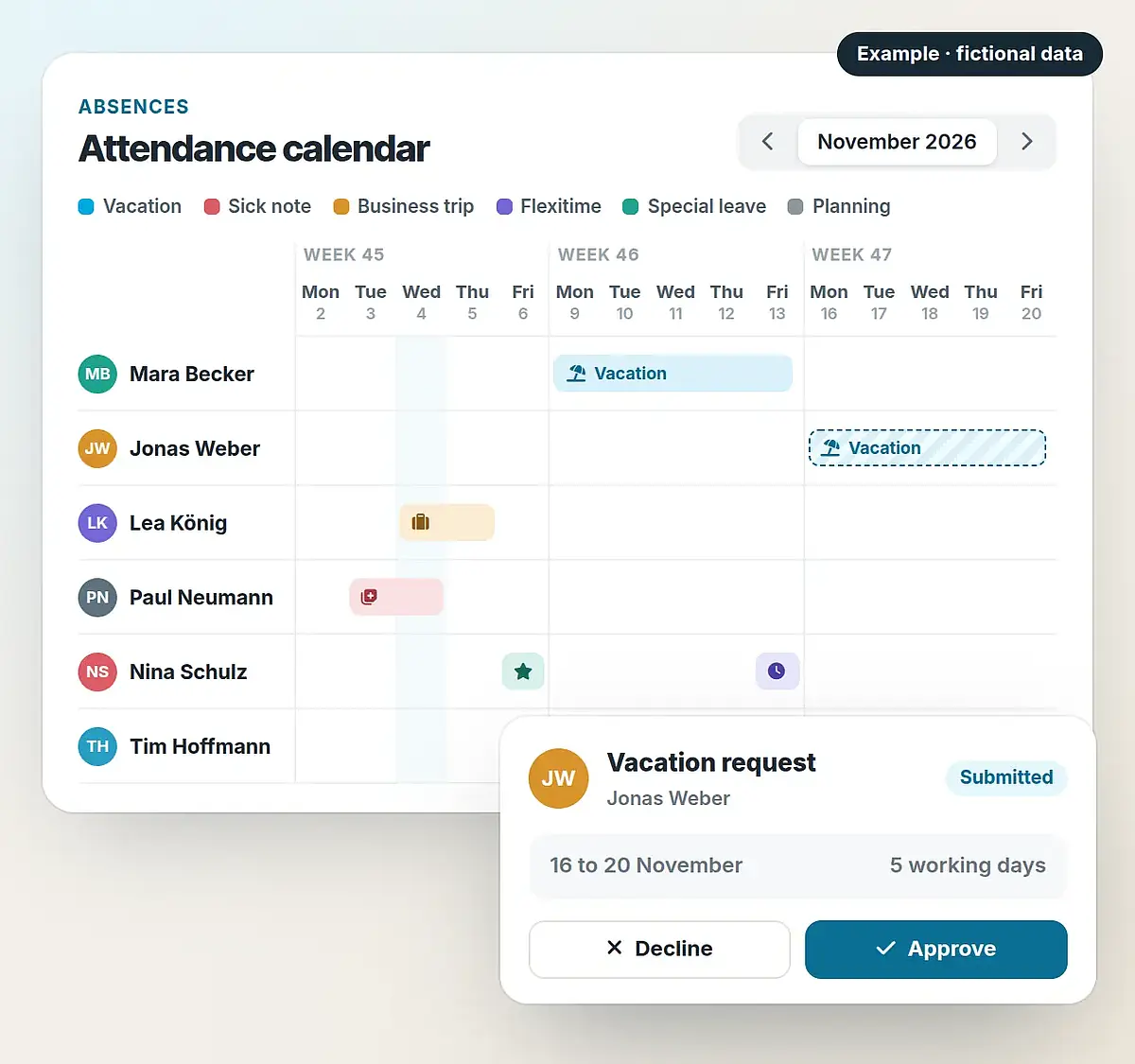
From request to attendance calendar
A request starts as a draft and is submitted for approval. The responsible person approves or denies it; approved absences appear in the attendance calendar. The example shows the four steps.
A vacation request step by step
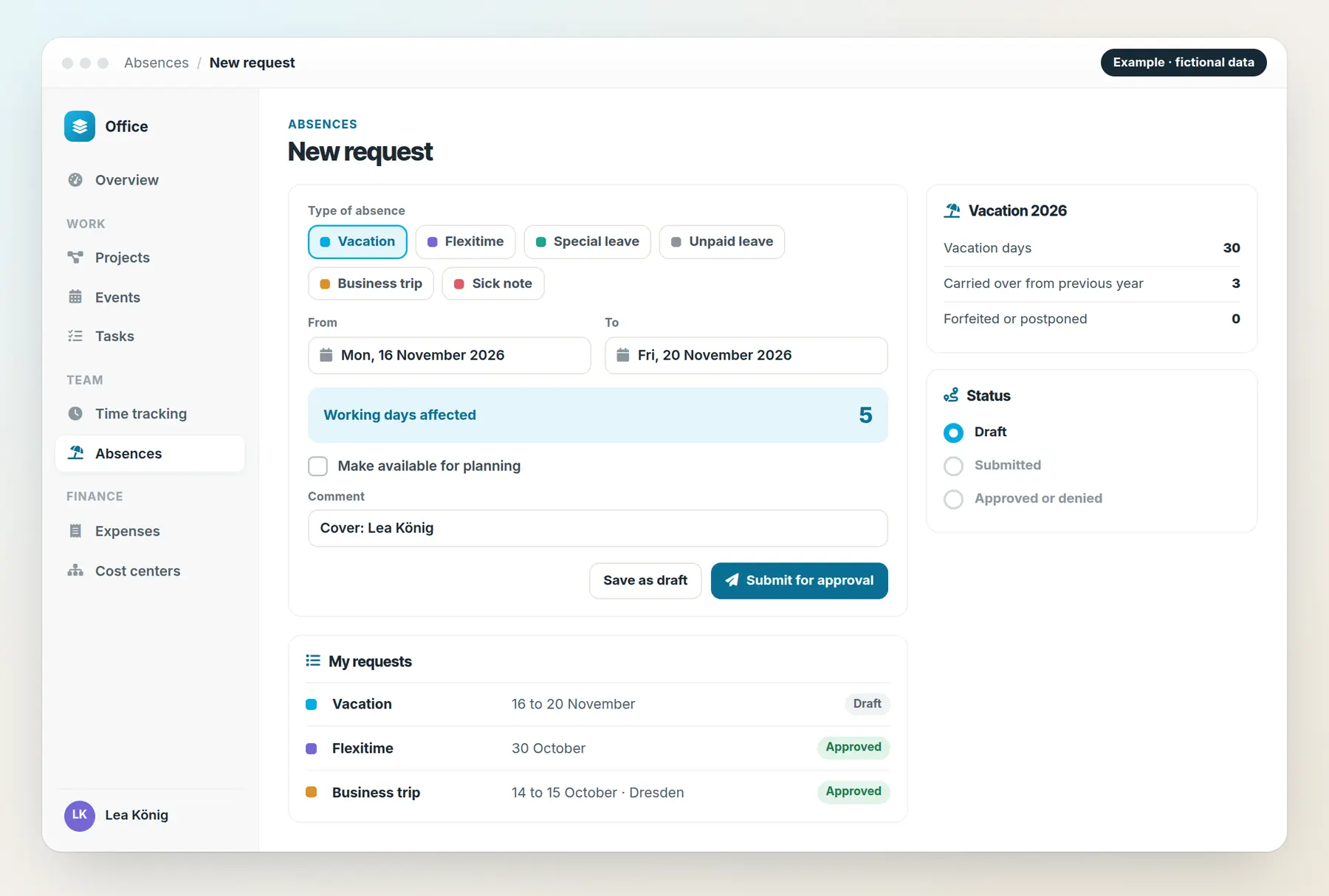
Enter type and period
Vacation, flexitime, special leave, business trip or sick note: every type uses the same form. The CRM shows the working days affected.
Type and period are enough; the CRM shows the number of working days affected.
The request is submitted for approval and its status stays visible.
The responsible person approves or declines the request.
Approved absences appear in the team’s attendance calendar.
Animated feature diagram with fictional data. No requests are made or saved here.
All absences in one process
- Vacation
Vacation requests with a period. The CRM shows the number of working days affected.
- Sick note
Sick notes are recorded with a period and marked as sick days.
- Flexitime
Time off from flexitime is requested like vacation.
- Special leave and unpaid leave
Both types have their own label and are requested like vacation.
- Business trip
Business trips with departure point, destination, stops, purpose and reimbursement method. The cost center is part of the request.
- Planning
Absences can be made available for planning purposes, so the team sees early on who will be away.
Submit and approve requests
Requests start as drafts and are submitted for approval. The status shows whether a request has been submitted, approved or denied.
Vacation days, days carried over from the previous year and forfeited or postponed days are stored in the employment details. For every request the CRM shows the number of working days affected; holidays and additional days off are part of the calendar.
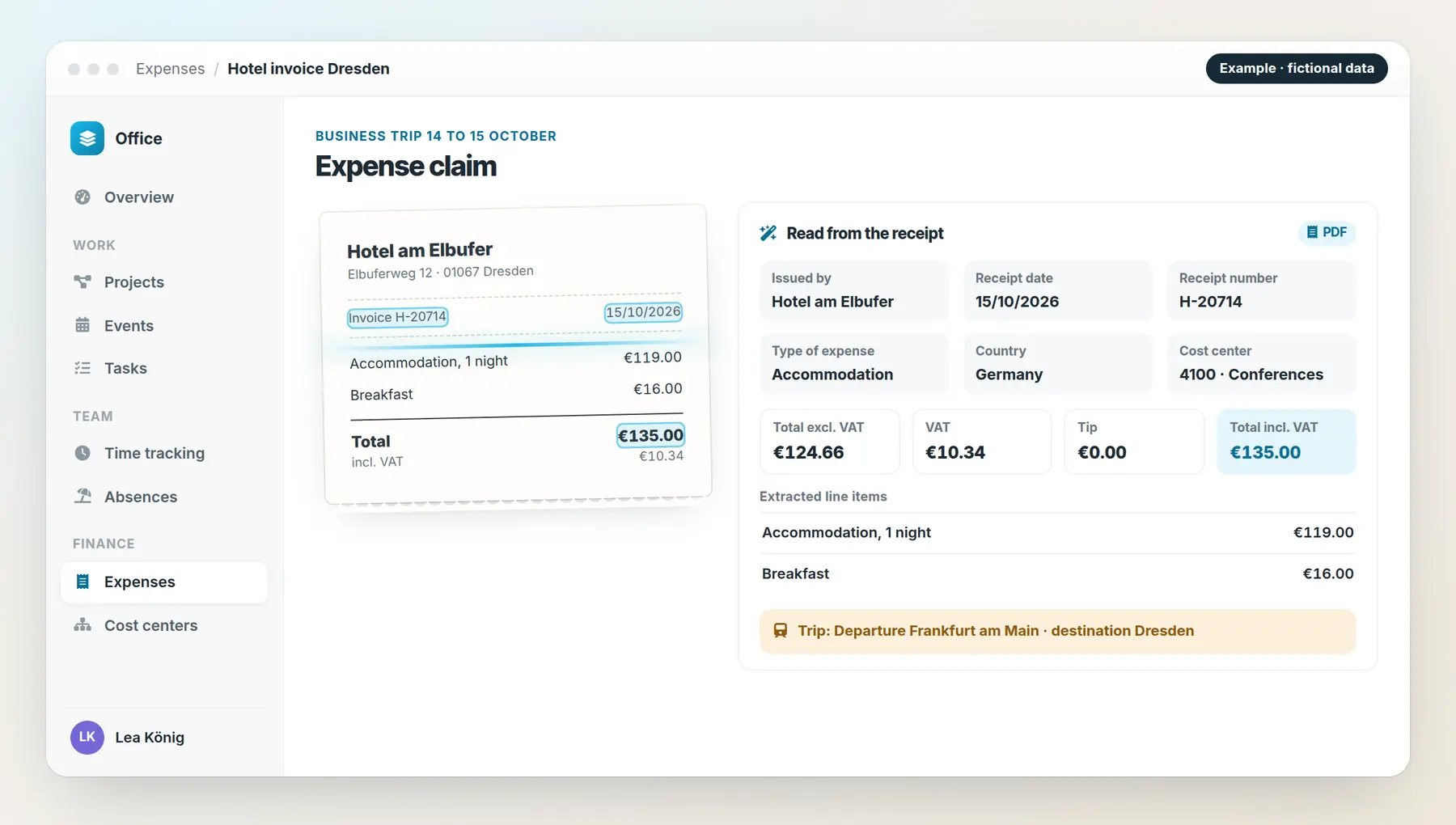
Request business trips and reimburse expenses
For an expense claim you upload the receipt. Line items and further data are read from the receipt. The claim includes issuer, receipt date, receipt number, amounts with and without VAT, and tips.
Each expense has a type and a cost center. Departure point, destination and stops belong to the trip.
Set up absences for your team
We discuss types of absence, approvals, holidays and reimbursements and set up the processes to suit your office.