
Control conference rooms centrally
The conference program connects presentations, projection and online output. Files reach the correct room automatically and can be started from technical control. The room team has a simple interface; session chairs have their own program.
We set up the technology for your scientific conference and support on-site operations.
For scientific conferencesRoom team · Session chairs · Technical production
From final upload to starting in the room
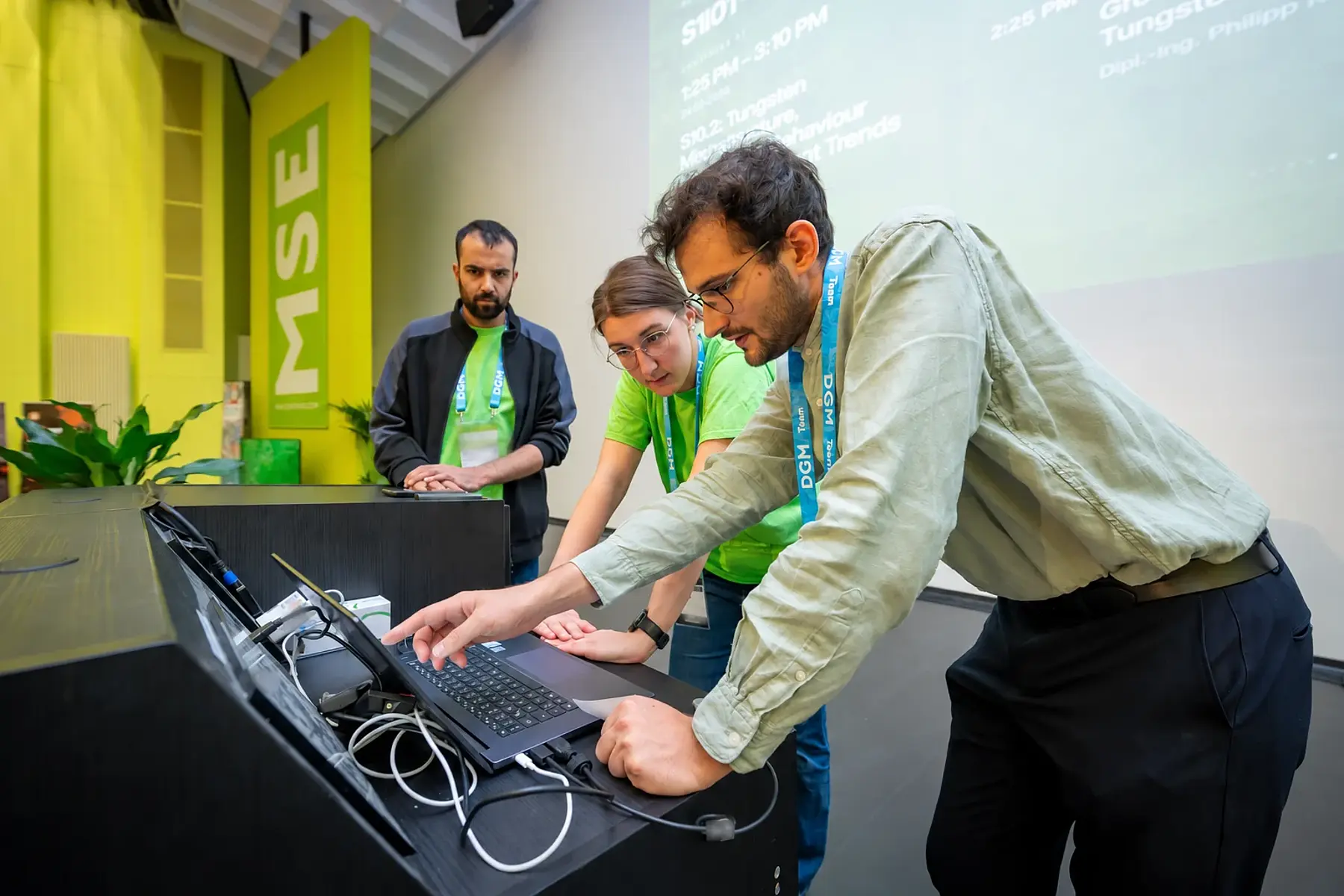
The final presentation is already linked to its contribution and room. It is made available on the assigned room laptop. The room team or technical control starts it from the program and controls the output for the audience and online participants.
From program to projector
New materials for mobility
Dr. Mara Becker
Example University
Presentations are ready in the room
Automatically distributed and synchronized.
Final files are automatically made available on room laptops.
The room team or technical control starts the prepared presentation.
The room display and online output are controlled together.
The control team sees the rooms and can provide targeted support.
Animated feature example with fictional data. Equipment and automation are set up for your conference. No devices are controlled.
The room team’s interface
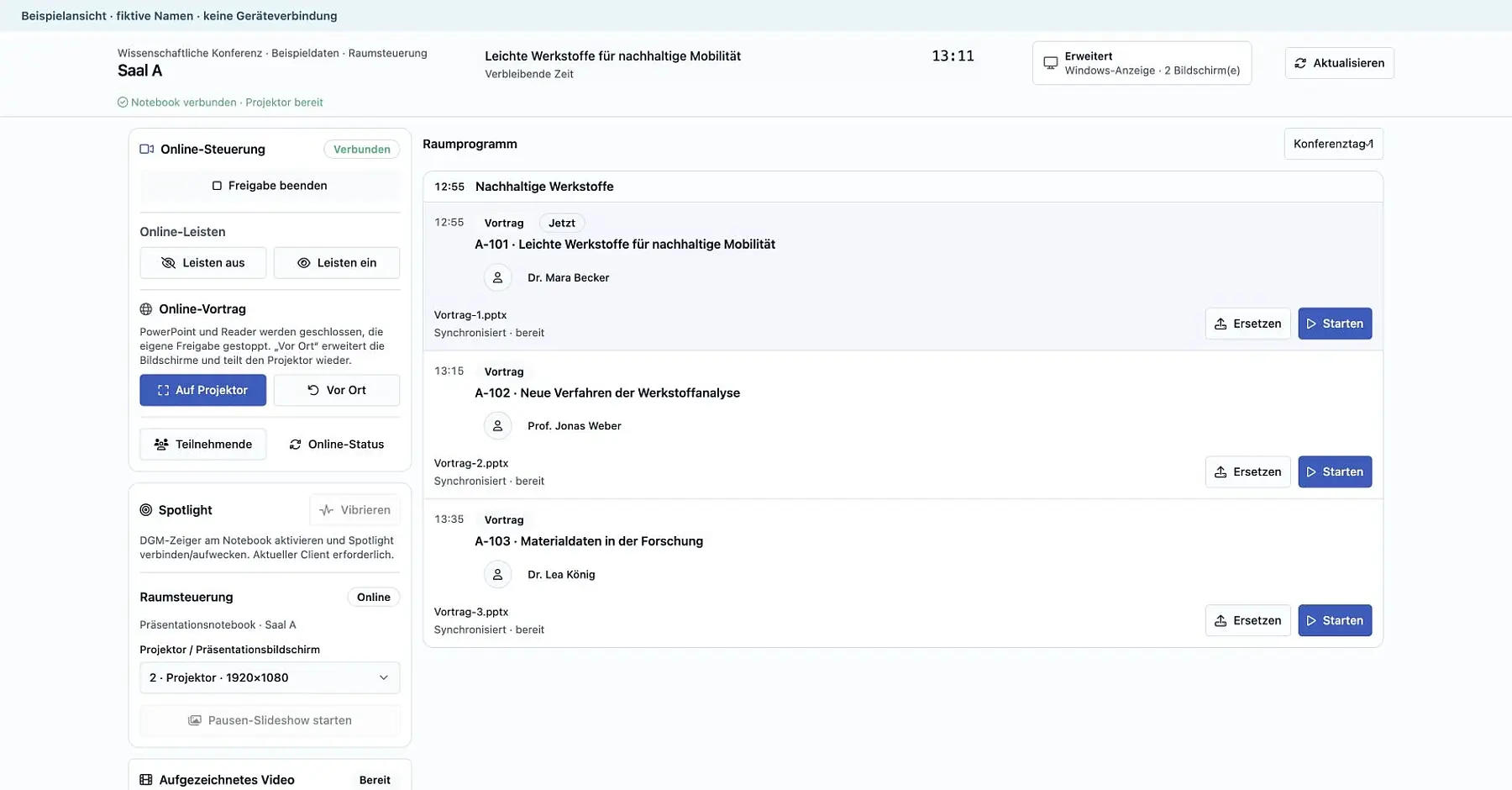
The room program shows the relevant files and their availability status. The prepared presentation can be opened remotely, brought to the foreground and sent to the projector. The team can move forward and backward through slides and support transitions between in-person and online talks.
The digital laser pointer supports the talk. During breaks, the team starts a slideshow with the program, upcoming sessions and event information. Central technical control can support the same workflows remotely when needed.
The program for session chairs
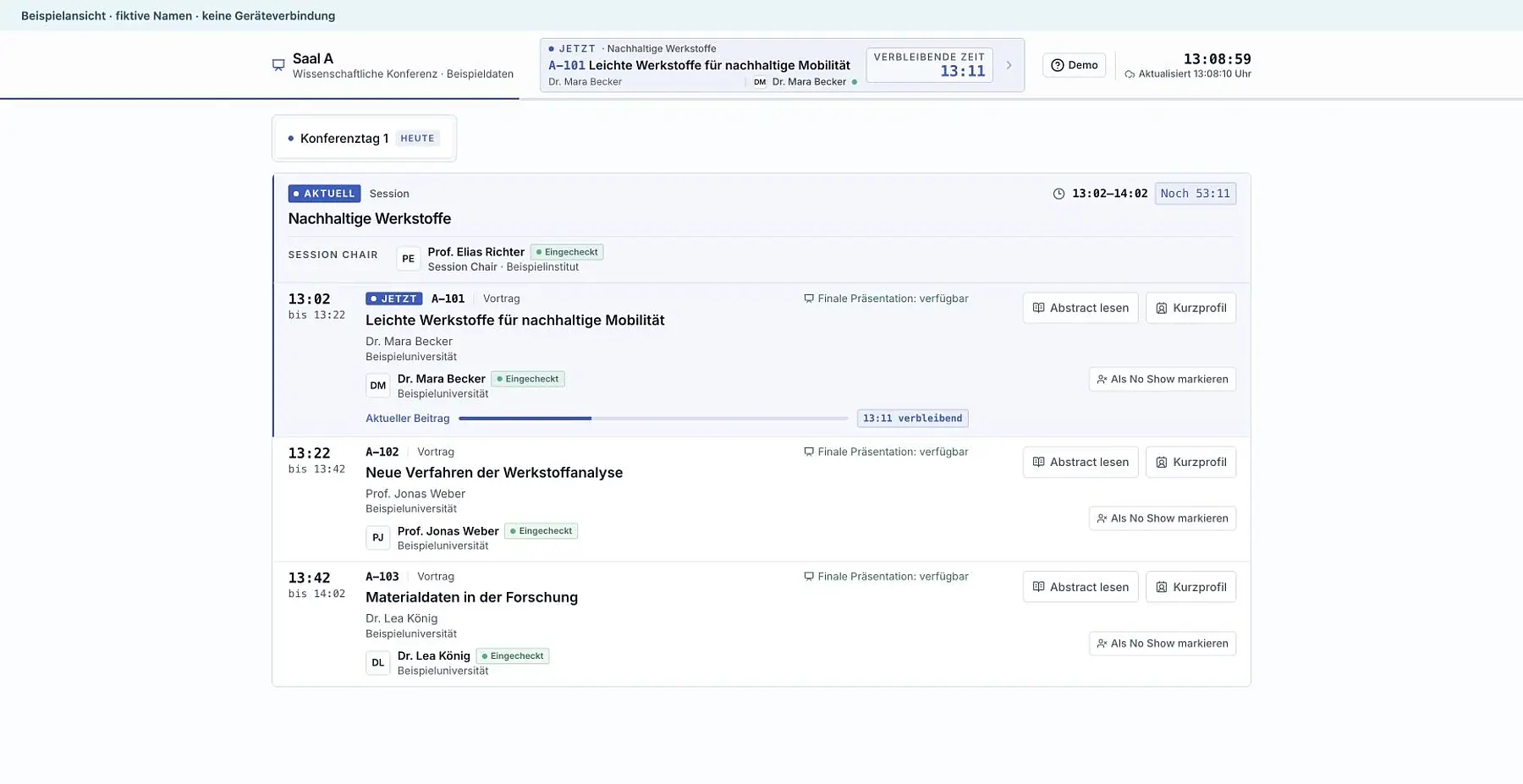
The session chair program shows the current contribution, the next talk and the remaining time. Abstracts and short profiles are directly accessible. This helps chairs prepare and lead a session without switching between program lists.
At hybrid events, the interface can also show approved online questions and requests to speak. Roles and access are configured for the event; technical controls remain with the room team and technical control.
Support several rooms from one control room
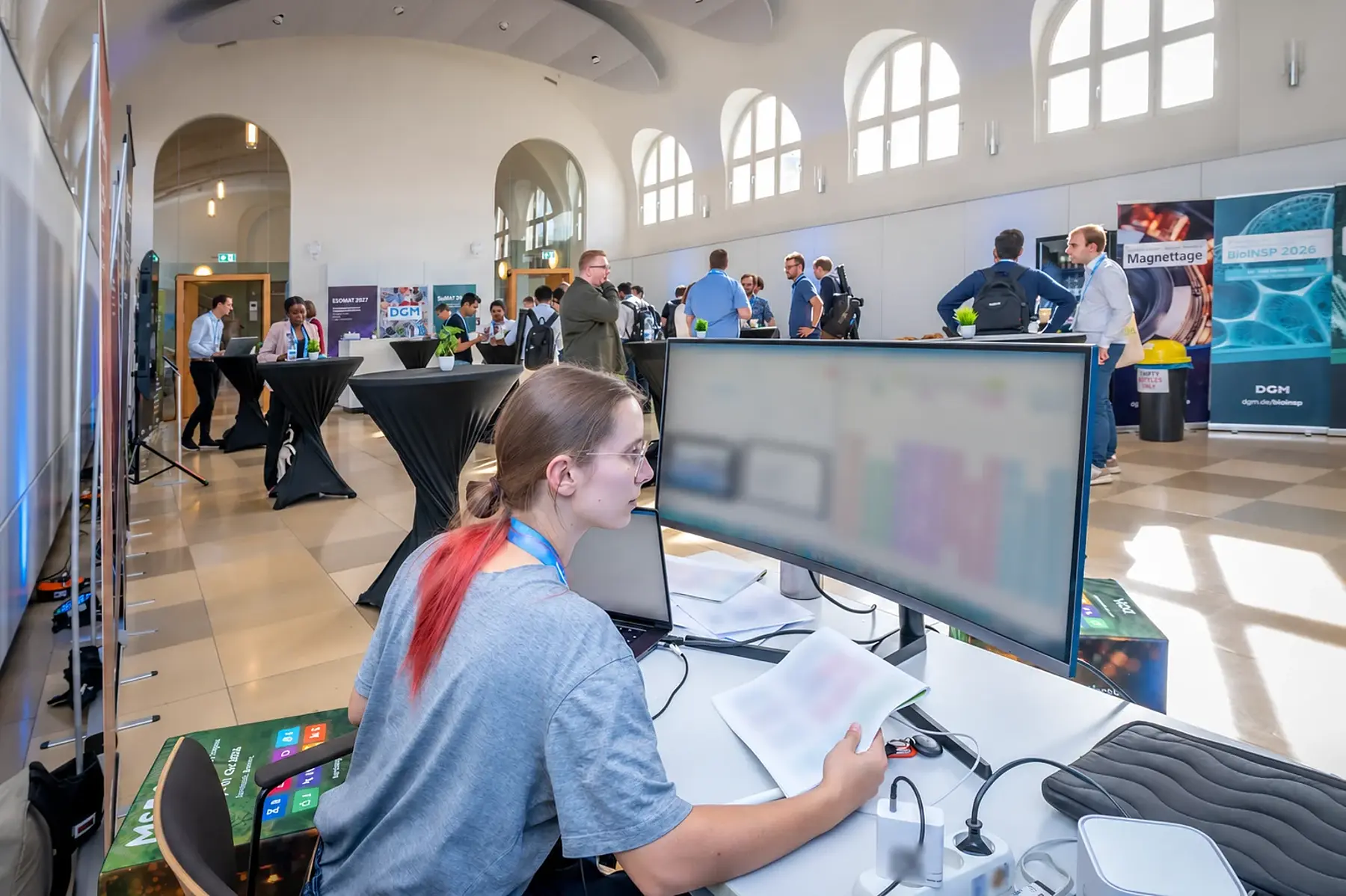
Technical control monitors connections, presentations and broadcast signals. File availability and device status show where a talk is ready and where support is needed.
Remote starts and shared room control help the team manage transitions quickly. The detailed production overview complements the room’s simple interface.
Room technology and support
Automatic file delivery and short changeovers give speakers more peace of mind before taking the stage. Our team matches presentation systems, projectors, digital laser pointers and displays to the venue and supports the sessions.


How should your rooms operate?
We plan the workflow with you: from final upload and slide checks to starting presentations and supporting several rooms. Automation, devices and permissions follow your event’s requirements.