
Track working time and project time
Your team logs time with start, end and note directly against projects and tasks. Hours per week, working days and vacation entitlement are stored in the employment details. At events, the working hours of helpers are added.
From employment details to project time
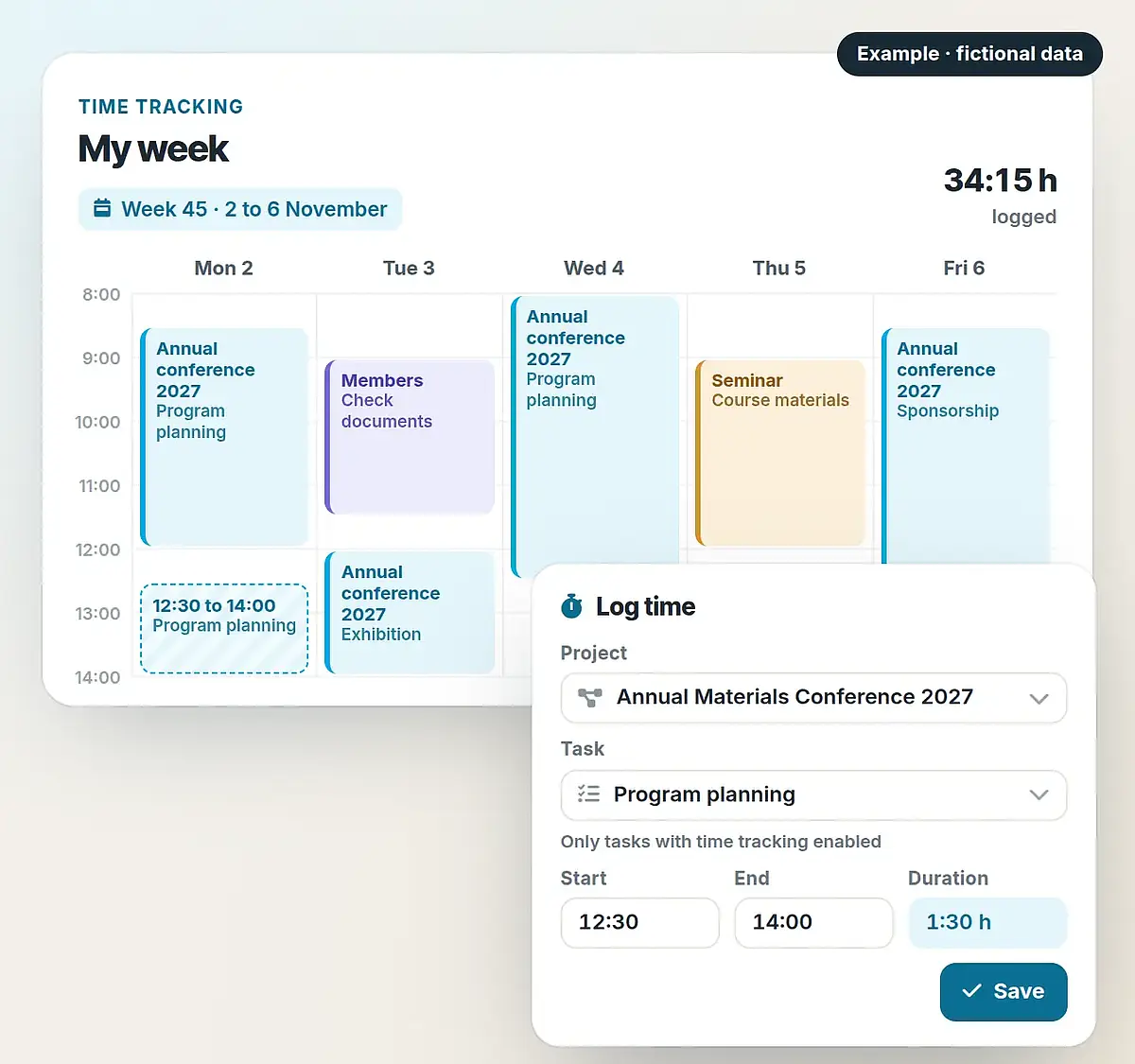
Employment details set hours per week and working days. Time is assigned to a project and a task and can be followed on the project. The example shows the four steps.
A working week in time tracking
Store hours per week and working days
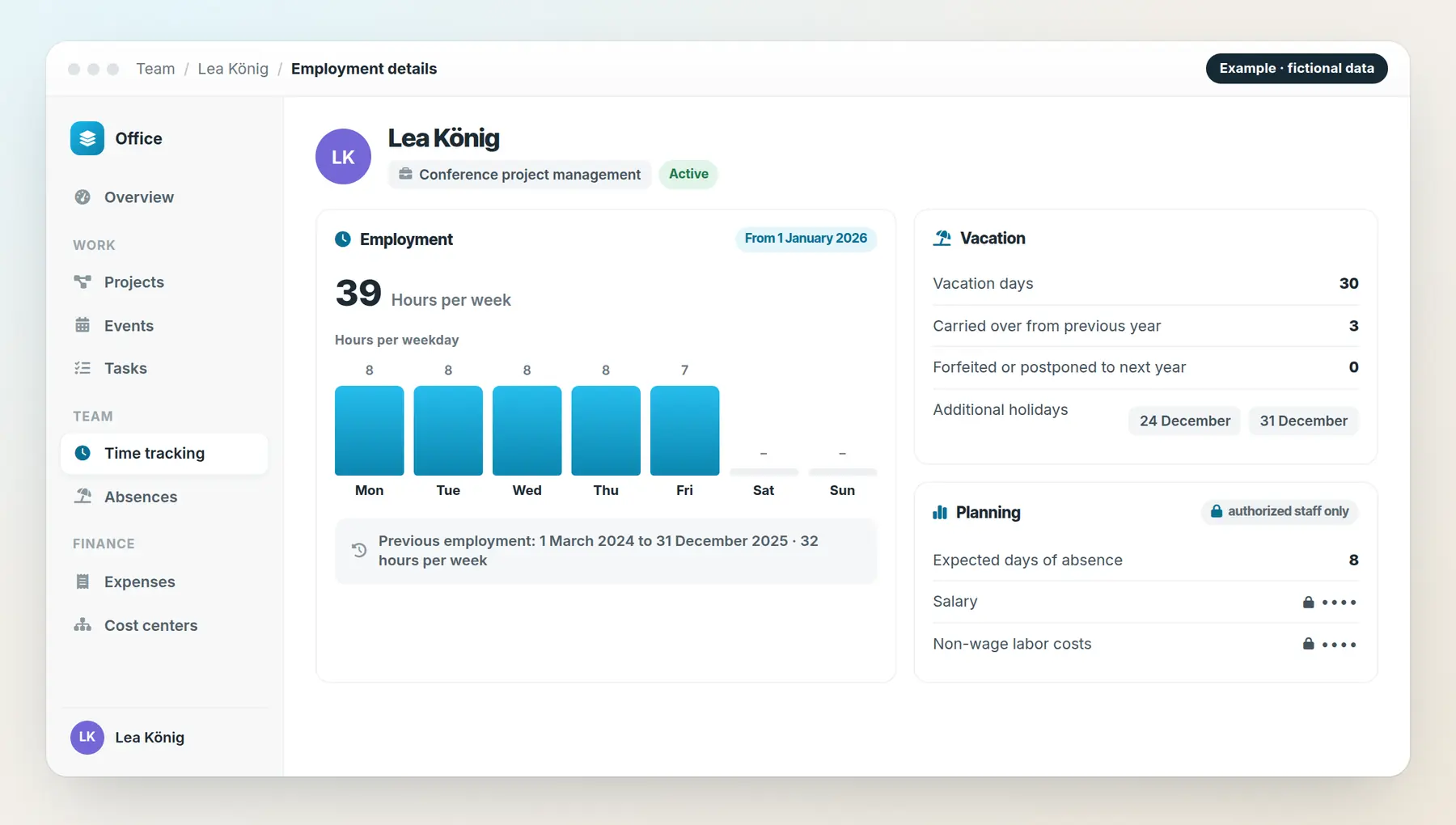
Employment details apply from a date. They hold hours per week, hours per weekday and the vacation entitlement.
Employment details set hours per week, working days and vacation entitlement.
Time is logged with start, end and note against a project and a task.
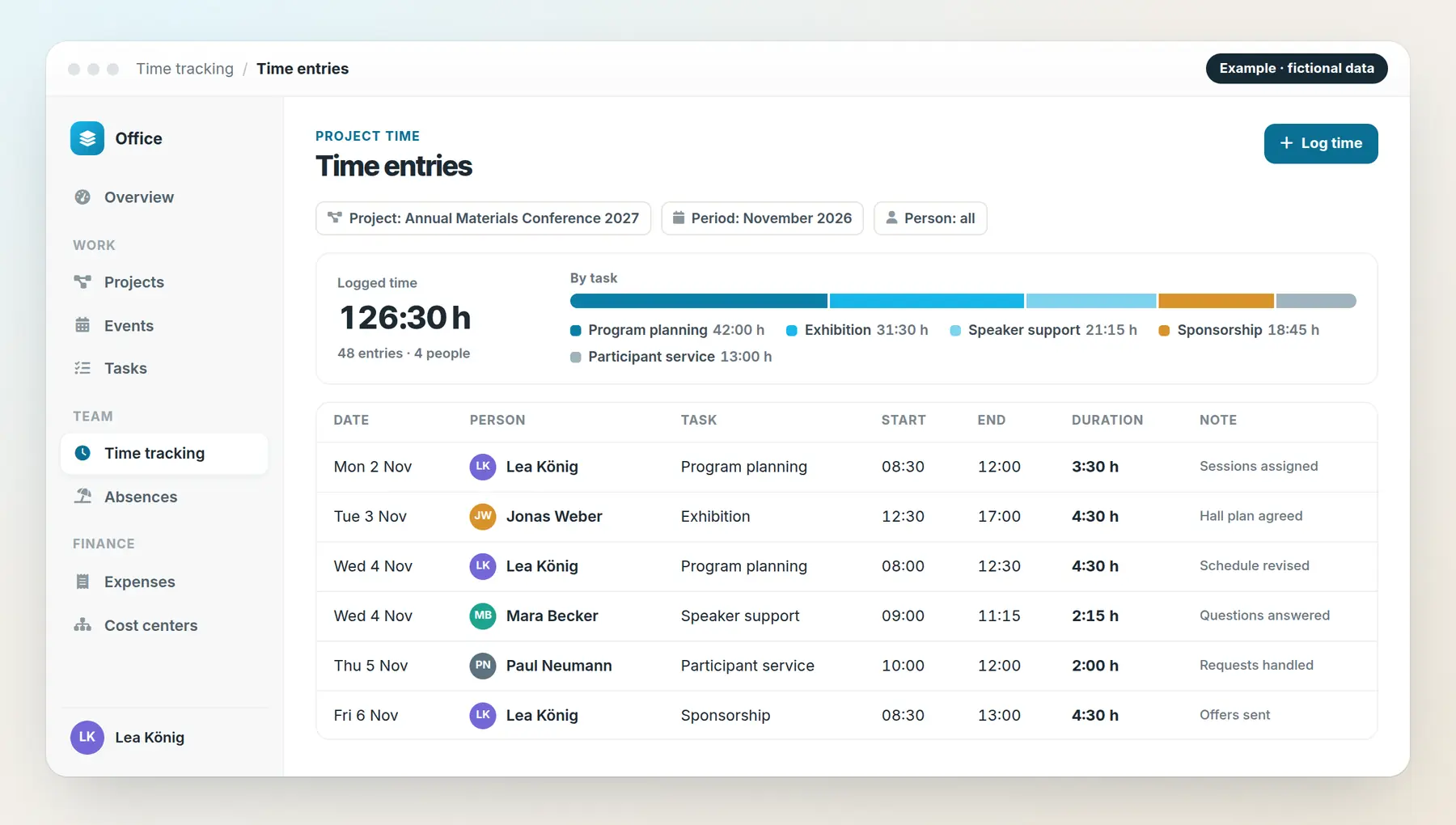
The project shows who worked on which task.
At events, the team’s scheduled and logged hours sit side by side.
Animated feature diagram with fictional data. No time is saved here.
Time on projects and tasks
Every time entry has a start, end, duration and note and belongs to a project. You decide for which projects time is tracked.
Tasks with time tracking enabled can be selected when logging time. Category, type, priority and due date organize the work; tasks can be limited to project members.
Hours per week and working days per employment
Employment details apply from a date and are continued when something changes. They contain the hours per week and per weekday, vacation days, days carried over from the previous year, forfeited or postponed days and additional holidays.
For planning, expected days of absence, salary and non-wage labor costs are available. Roles and permissions control who sees these details.
Working hours of the team on site
For helpers, the CRM shows scheduled and logged working hours, the longest workday and overlapping tasks. Start and end of work are recorded per assignment.
Set up time tracking for your team
We discuss your projects, tasks and employment models and set up time tracking, responsibilities and access to suit your office.