Manage memberships and organization contacts
Online applications, membership periods and supporting documents are linked to people, companies and institutes. Your association office keeps track of everything, while members access their available processes in the portal.

From application to active membership
Membership type, supporting documents and billing period belong to the same record. The example below shows how a student membership is prepared and made accessible in the member portal.
Becoming a member
Join through the portal
The membership type determines the details and conditions.
Digital registration records the appropriate membership type and required details.
Time-limited special statuses are managed with supporting documents, validity dates and reminders.
The fee period connects membership with the corresponding invoice.
The member portal complements processing by administration.
Workflow illustration, without a working CRM login. No member data, payments or messages are processed.
Membership types based on your fee schedule
- Online applications
Membership offers are made available online. Applications collect the person or organization, contact details and invoice recipient information to create the membership.
- Types and fee groups
Regular members, students, retirees, honorary members and institutional members receive the appropriate types, terms and fees.
- Membership period and cancellation
Joining, leaving and cancellation dates remain separately traceable. Renewal intervals, automatic renewal and changes to another membership type can be configured.
- Supporting documents and special status
Supporting documents can be uploaded and checked. Time-limited statuses have an expiry date; configured reminders request updated documents in good time.
Connect companies, institutes and their employees
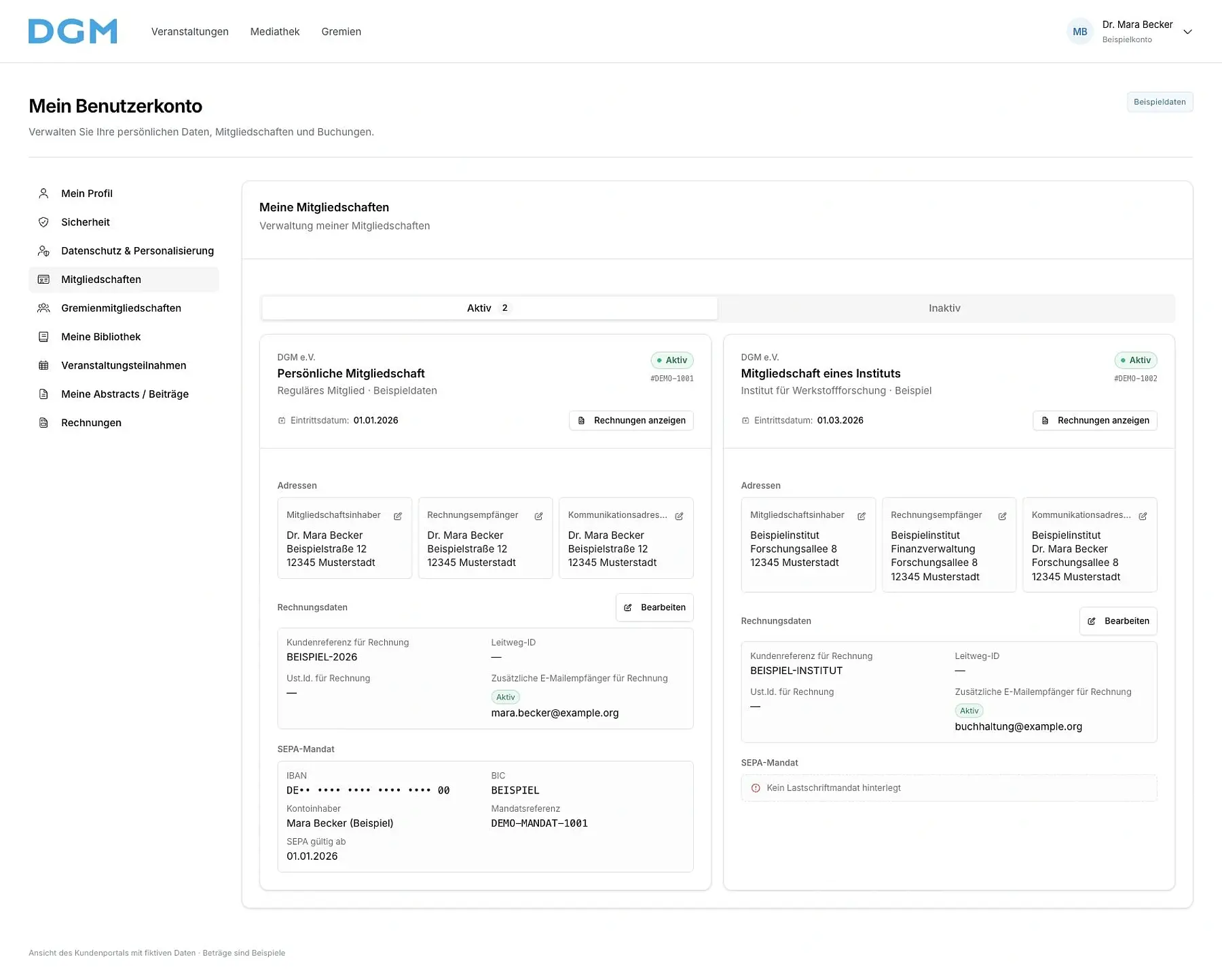
Organizations are managed with locations, departments, contacts and affiliated people. Individual and institutional memberships remain distinct.
You grant permission to share membership benefits for specific parts of the organization and specific affiliations. This permission can be withdrawn. Eligibility depends on a valid membership and a current affiliation recorded with its dates.
Apply member terms when booking
For conferences, seminars and other configured booking offers, eligibility rules can check individual memberships or benefits shared through an organization. This makes the appropriate member offers available.
The association office can trace which membership provides the entitlement. During setup, we define which benefits may be shared, how affiliations are confirmed and when permission ends.
Members update their own details
- Personal access
The member portal brings together a member's own memberships and available documents. Contact details, invoices and supporting documents are accessible through the account functions enabled for them.
- Association office
Search, filters and exports help manage larger membership bases. People, organizations, memberships and correspondence are linked.
- Track changes
The CRM change history records relevant changes to memberships, roles and master data. Roles and permissions determine who can view and edit the data.
Map your membership structure in the CRM
We discuss membership types, your fee schedule, deadlines for supporting documents and institutional benefits with your association office. Data migration, responsibilities and enabled portal functions are defined before launch.