
Bill membership fees and track payments
The fee schedule defines membership types, prices and billing periods. The CRM connects these rules with invoices, payment methods and the management of outstanding balances.

Connect the billing period, invoice and payment
The invoice is linked to the member and the period being billed. This example shows how the remaining balance stays visible even after a partial payment.
From membership fee to settled payment
Invoice for the fee period
Member, invoice number and payment deadline stay linked.
The invoice and payment deadline are linked to the membership and invoiced period.
With a partial payment, the remaining amount due stays clearly visible.
Settlement closes the outstanding balance; the history remains traceable.
Workflow illustration, without a working CRM login. No member data, payments or messages are processed.
Calculate fees using valid rules
- Fee schedule
Membership types have prices valid for specified periods, terms and invoice details. Reductions, permanent discounts and memberships without fees are configured according to your rules.
- Joining during the year
The available billing models support defined fee periods, such as a half-year fee up to the end of the year. We discuss daily prorated calculations and retrospective status changes separately to match your rules.
- Recurring fees
Configured renewal runs create the next membership period and the corresponding fee invoice. Cancellations, renewal blocks and unsuitable membership types are taken into account.
- Digital invoices
The invoice recipient, language, payment deadline, templates and delivery method are part of the membership. The association office can create and provide invoices and track delivery.
Process outstanding balances and incoming payments
- Bank transfers and SEPA
Bank transfers and SEPA direct debits can be processed through the configured payment methods. Mandates, validity and invoice allocation stay with the record; other payment methods depend on the integrations enabled.
- Partial payments and returned direct debits
Payments are allocated to invoices. Partial payments and failed or returned direct debits can be checked and processed further.
- Credit memos and refunds
Corrections are documented through credit memos and the designated refund process. Payment status and outstanding balances remain traceable.
- Reminders and dunning runs
Configurable stages, templates, deadlines and exceptions control payment reminders. The responsible team checks which outstanding balances should be included in a run.
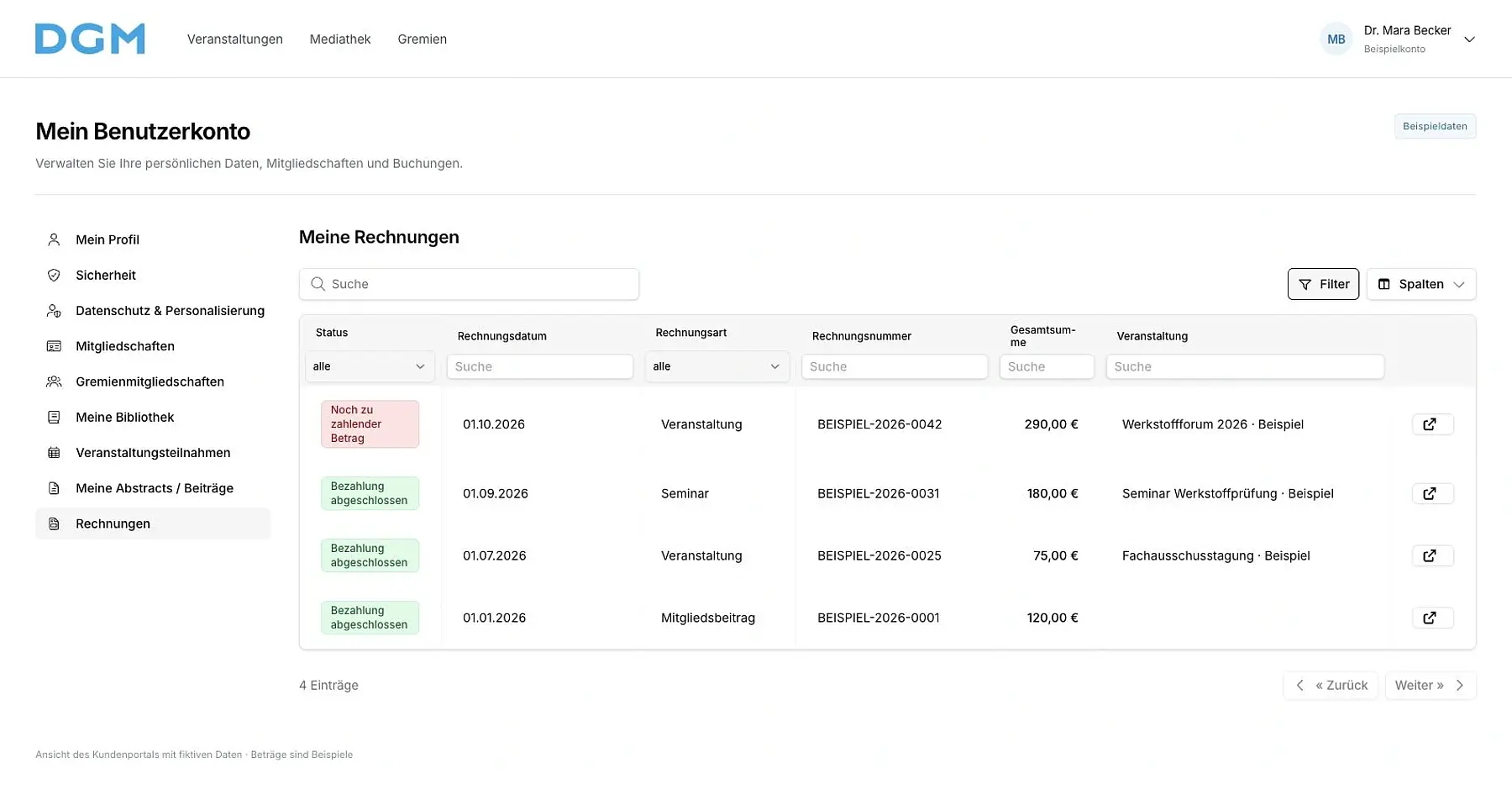
Finances for the association office and accounting
Overviews show open, paid and overdue invoices. Filters and exports help reconcile membership fee receivables and incoming payments; cost centers and agreed accounting handovers supplement the reporting.
We configure the payment providers, bank imports and automated runs used by your organization. Responsibilities and approvals for delivery, dunning and refunds are agreed in advance.
Set up your membership fee schedule together
Bring your membership fee groups, payment methods and billing intervals. We demonstrate the workflows using examples and clarify data migration, invoice delivery and the handover to your accounting team.